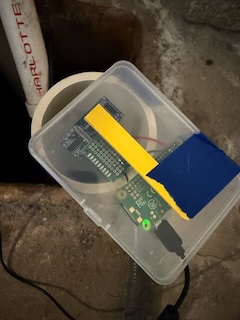
Setting up Raspberry Pi with an Ultrasonic Sensor
This post explains how to build a water level gauge using a Raspberry Pi Zero W and an HC-SR04 ultrasonic sensor. While this is a well-established application for distance measurement, I am tailoring it specifically for monitoring sump water levels.
Background
I decided to rebuild my ultrasonic water level measurement system because my previous setup was aging and starting to produce inconsistent results. While I wasn’t certain if the sensor itself was the cause, a fresh start allowed me to modernize the entire stack.
Another goal was to update my Raspberry Pi OS and Python version. This ensures I can use recent libraries, such as AWS Boto3, without worrying about version compatibility issues.
Finally, I have been using version 1 of Raspi-Sump. While it has been a great tool, its philosophy is to handle most processing locally on the Pi. As I shift toward a “cloud-native” style utilizing AWS, I want to keep the software on the Pi side as lightweight as possible.
The Ultrasonic Sensor
I chose the HC-SR04 ultrasonic distance sensor. It doesn’t measure distance directly; instead, the Raspberry Pi measures the duration from the moment a pulse is emitted to the moment an echo is detected. The distance is then calculated using the speed of sound (divided by two to account for the round trip).
There is a ready-made Python library called pinsource that handles this logic, including optional temperature adjustment.
https://github.com/alaudet/pinsource
pinsource is easy to use because it abstracts away the detailed timing and multiple sampling. Its distance call returns the value in centimeters. By default, it takes 11 samples and uses the median result, which helps reduce measurement errors.
Pi Wiring
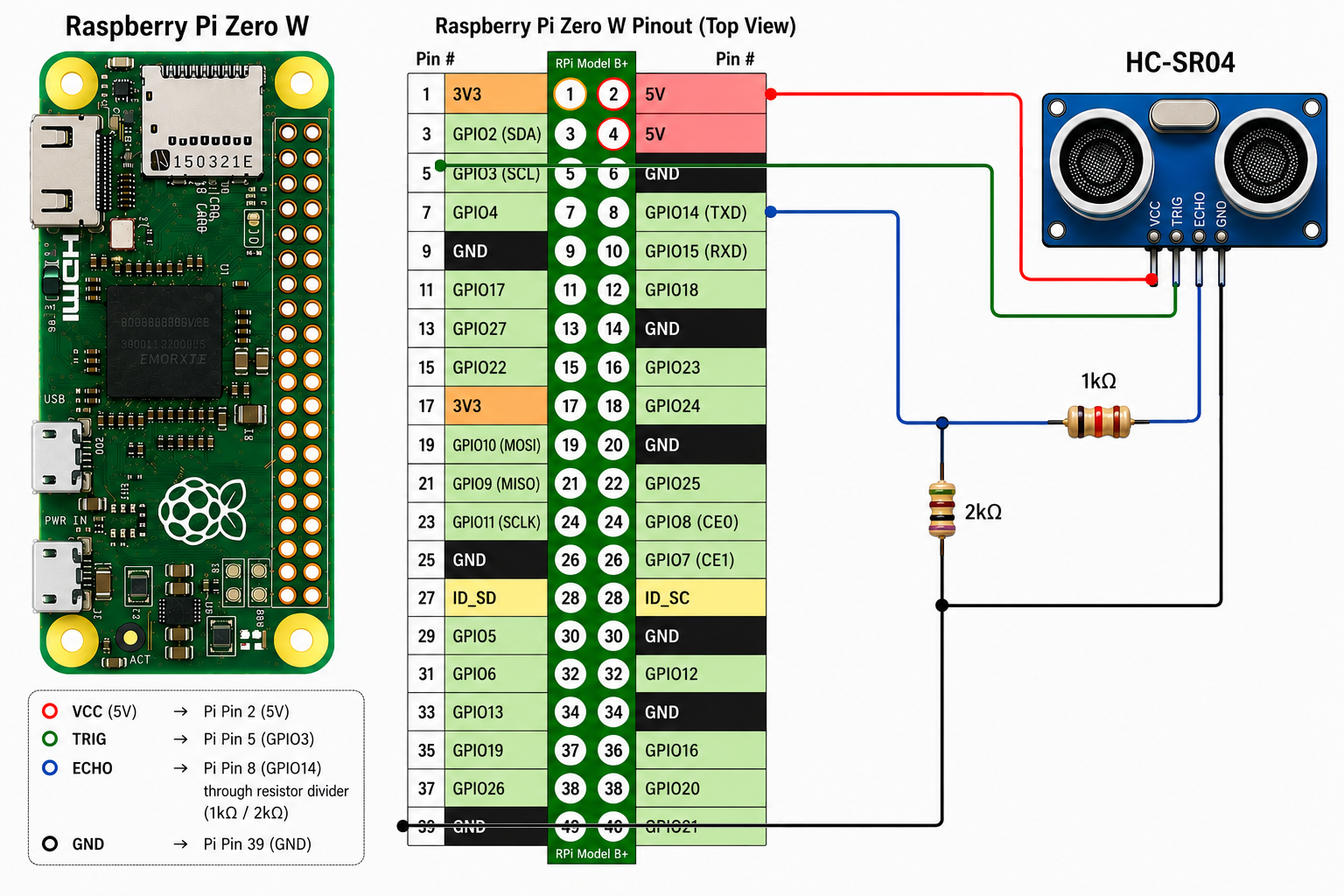
Because the HC-SR04 operates at 5V and the Pi’s GPIO pins take 3.3V, I used a voltage divider on the Echo pin. I used 1kΩ and 2kΩ resistors to safely step down the voltage. Other combinations work as well; for instance, a pair of 470Ω and 1kΩ resistors is also a common choice.
The following table shows the connections between the sensor and the Raspberry Pi:
| HC-SR04 | Raspberry Pi | Function |
|---|---|---|
| VCC | Pin 2 (5V) | Power |
| TRIG | Pin 5 (GPIO 3) | Trigger Output |
| ECHO | Pin 8 (GPIO 14) through voltage divider | Echo Input |
| GND | Pin 39 (Ground) | Ground |
Software Setup
First, install the prerequisites for the Linuxnorth library:
# 1. Import the signing key
curl -fsSL https://apt.linuxnorth.org/public_key.asc \
  | sudo gpg --dearmor -o /usr/share/keyrings/linuxnorth-archive-keyring.gpg

# 2. Add the repository
echo "deb [signed-by=/usr/share/keyrings/linuxnorth-archive-keyring.gpg] \
  https://apt.linuxnorth.org trixie main" \
  | sudo tee /etc/apt/sources.list.d/linuxnorth.list
Now, install pinsource:
sudo apt update
sudo apt install python3-pinsource
The library includes a CLI tool that can test if the sensor is working, providing output in both inches and centimeters:
$ pinsource -t 3 -e 14
trig pin = gpio 3
echo pin = gpio 14
speed = 0.1
samples = 11

The imperial distance is 23.0 inches.
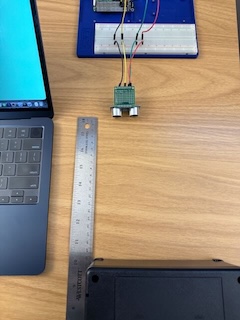
The metric distance is 58.4 centimetres.
Sump Setup
To ensure accurate measurements, I created a “stilling well” using a 3-inch diameter PVC pipe. This guides the ultrasound pulse directly to the water in the sump and prevents it from picking up reflections from the water pump. Since the pump is often positioned above the water level, it can reflect the signal prematurely, causing the sensor to consistently report the distance to the pump rather than the water.
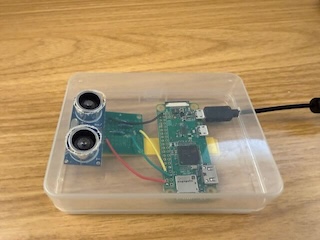
In my previous testing, 2-inch diameter PVC barely fits with old HC-SR04, and the new HC-SR04 I recently bought has slightly larger sensors and no longer fits. 3-inch diameter works with the sensor size and also reduce erroneous measurement.